Personal business management
Run the whole businessfrom one obsidian screen.
Calendar, events, tasks, projects, quotes and notes — plus a daily digest of what's due. One account, synced live across the web, your desktop app and your phone.
- 7
- Modules, one workspace
- <1s
- Sync between devices
- 3
- Desktop platforms
- 0
- Spreadsheets required
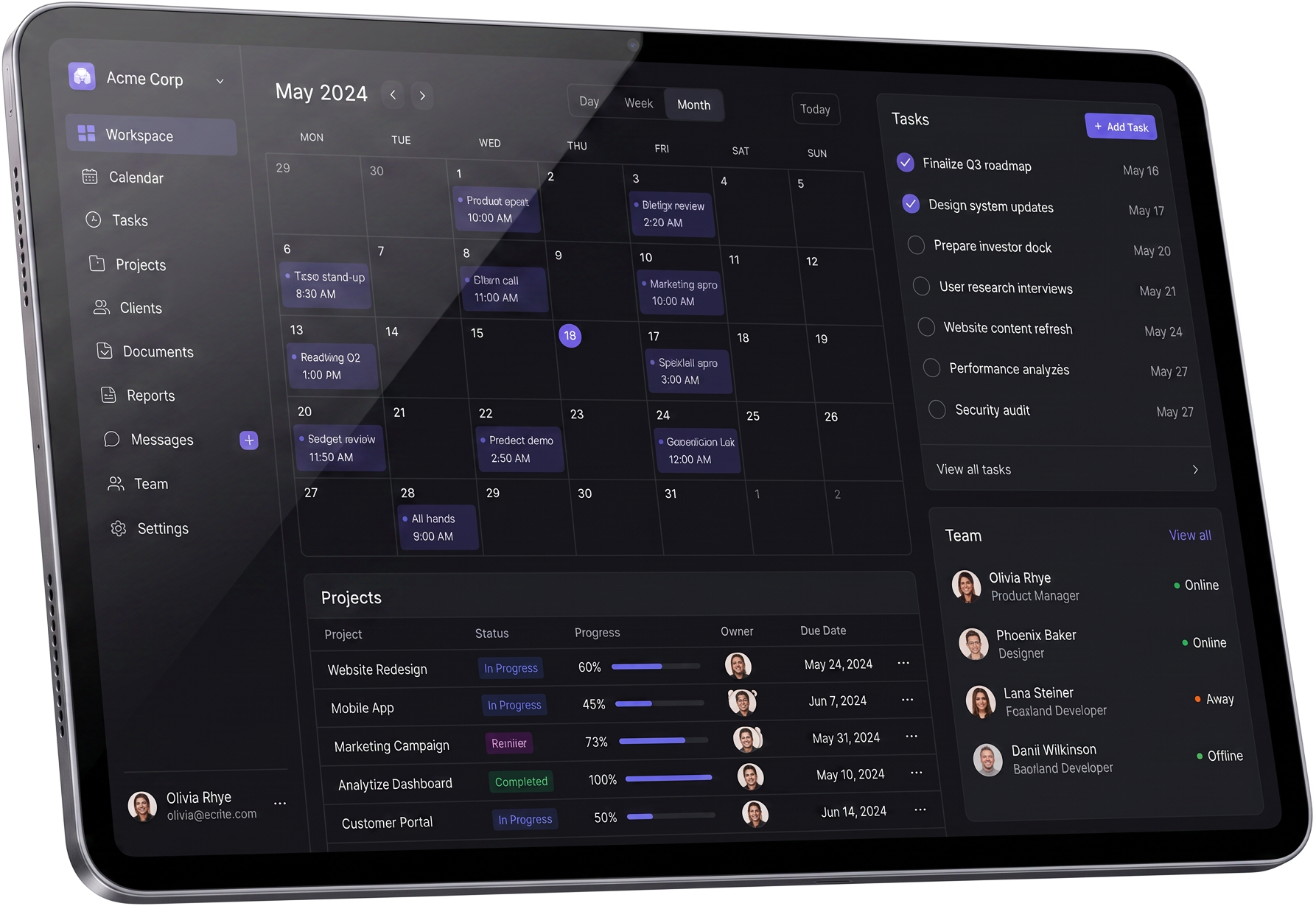
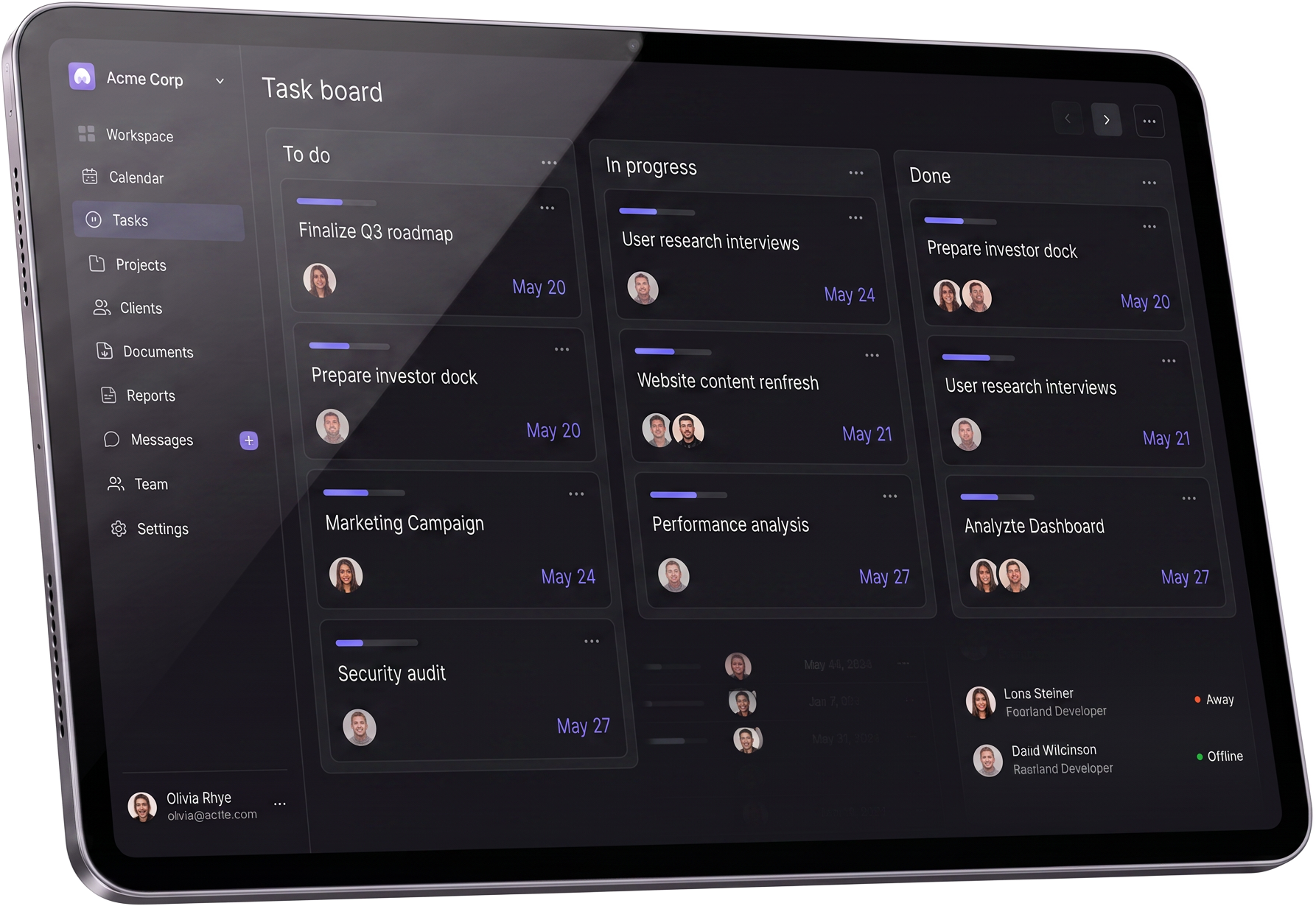
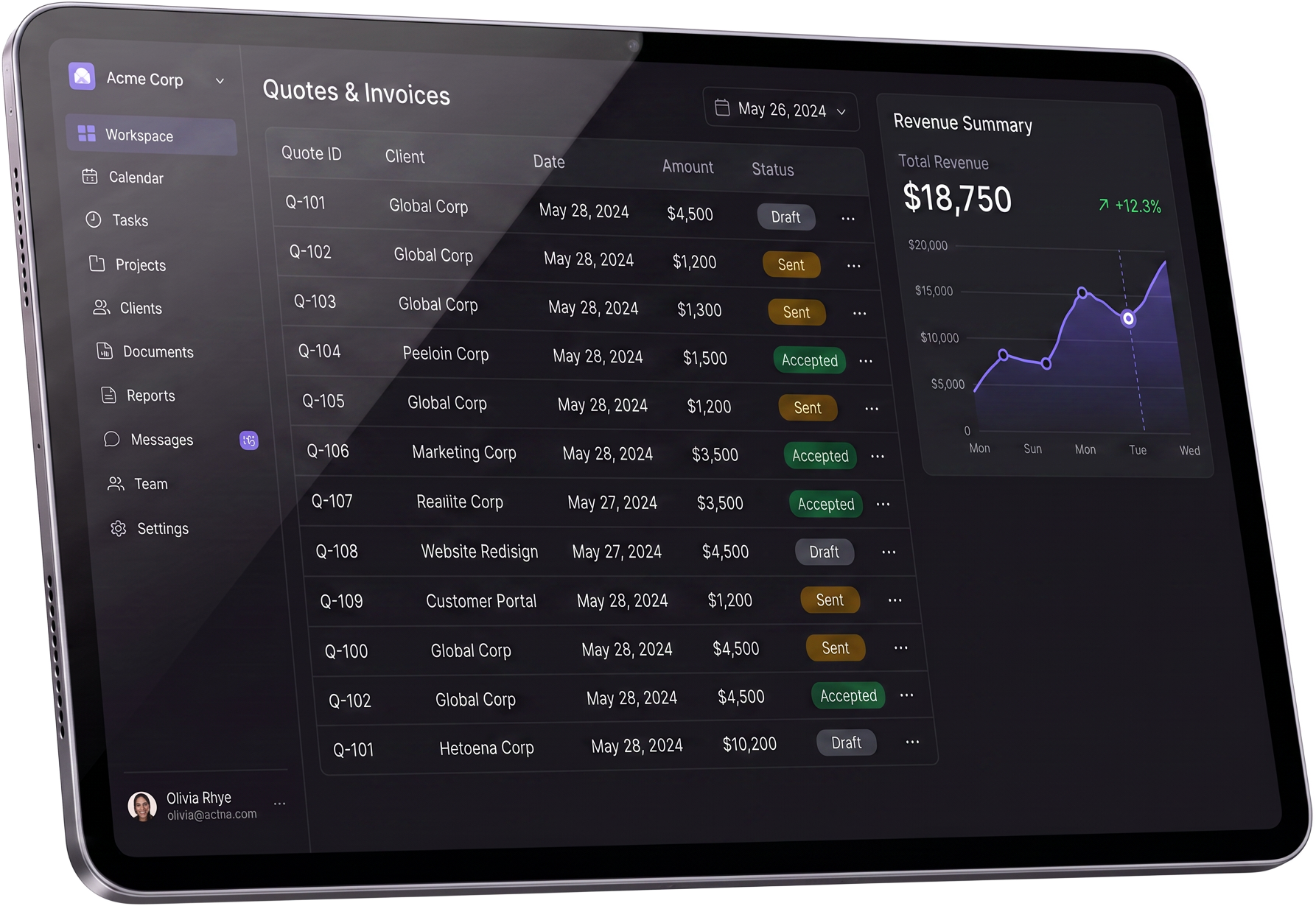
Drag, pinch or swipe to scrub between screens
Featured apps
Pick the app you need — they all share one workspace
Your clients, projects, money and calendar live in the same place, so nothing has to be re-typed.
CRM
Leads and clients with pipeline stages, values, follow-up dates and activity history.
Open →PRProjects
Scope, design notes, budget, team access, minutes and timesheets per project.
Open →CACalendar
Events, meetings and reminders that sync to your phone calendar.
Open →QBQuotes & Billing
Branded quotes drawn straight from logged hours, tracked to paid.
Open →MSMessages
Team channels tied to projects so decisions stay next to the work.
Open →AIAI Assistant
Draft, summarise and plan with your workspace context in the room.
Open →Everything in one place
Seven modules, one mental model
Each part of the business gets its own surface, and they all know about each other.
Calendar & events
One month view for every commitment
Client meetings, calls and focus blocks in a single month grid with a running agenda beside it.
Task board
Tasks that know their project
Priorities, due dates and done state, each task optionally linked to the project it belongs to.
Projects
Progress you can actually see
Client, status, due date and a progress bar per project — no sprint ceremony required.
Quotes & billing
Quote to accepted, tracked
Numbered quotes with client, amount and status from draft through sent, accepted or paid.
Notes
A repository, not a pile
Capture call notes, scopes and decisions in one searchable place that lives next to the work.
Reminders
A daily digest of what's due
Choose the hour and Monoliths lines up today's events, tasks and quotes waiting on a reply.
How it works
Two minutes to set up, then it stays out of the way
Open one screen and see the whole business
Live counters for active projects, open tasks, upcoming events and quote pipeline — no spreadsheet hunting.
- Active projects4 in delivery
- Open tasks11 due this week
- Quote pipeline$46,800
01
Sign in once
Email or Google. A guided checklist gets reminders, your first project and your teammate set up in two minutes.
02
Install where you work
Desktop app for macOS, Windows and Linux, plus a home-screen install on iPhone and Android.
03
Work from one screen
Quote it, schedule it, do it, note it. Every device shows the same truth, live.
Pricing
A plan that scales with your billing, not your headcount
Start free. Move up when clients start paying you monthly.
Operator
$18per month
For the one-person business that bills clients every month.
Subscribe to OperatorEnterprise
Custom seats, invoiced billing, security review and priority support with an SLA for teams and practices.
Custom pricing
Contact usWhat we do with your data
Your data stays yours — and Google access is optional
Monoliths is a private business workspace. Everything you create belongs to your account alone.
Gmail (read-only, optional)
If you choose to connect Gmail, Monoliths reads only the sender, subject, date and snippet of your recent messages so your dashboard can show a short inbox list for the connected account. Nothing is sent, deleted or changed, and message bodies are not stored.
Google Calendar (optional)
With Calendar connected, Monoliths shows the connected account's own events in your agenda and creates or updates only the events you schedule inside Monoliths — including meeting links and email reminder times.
Never sold, never shared
Google data is used only to display and manage the connected account's own information inside your workspace. We do not sell or share it, and never use it for advertising, profiling or AI training. Disconnect any time in Settings.
Your business deserves one place, not eleven tabs.
Create your workspace free, then install Monoliths on your desktop and phone.